
SAVE THIS EMAIL: Your Guide to Removing 1-Star Reviews
One bad review can cast a long shadow online. It can deter potential customers and damage your reputation. But before you panic, there's good news! Google allows businesses to flag reviews that violate their policies, and with the right approach, you can get them removed.
This email is your one-stop shop for reclaiming your online reputation. We'll walk you through the process step-by-step, including some extra tips to maximize your chances of success.
Important: Remember, Google won't remove reviews simply because you disagree with them. They only remove reviews that violate their policies. You can find a full breakdown of
Google's review policies for more information.
Step 1: Gather Evidence:
Before you flag a review, take screenshots of it. This will serve as crucial evidence if the review is reposted after removal. Additionally, screenshot each page of the reporting process for your records. This might come in handy later if you need help from the Google community forum.
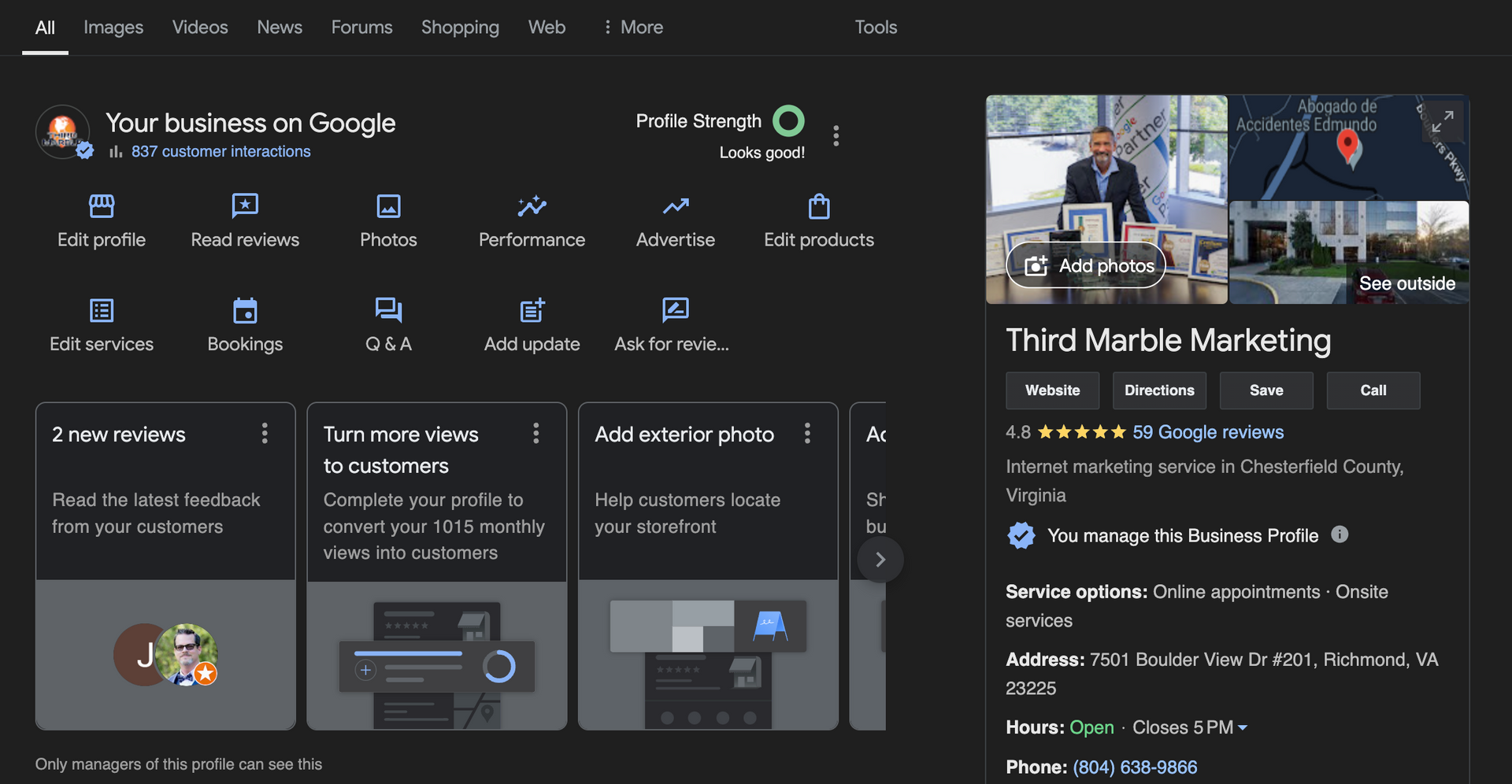
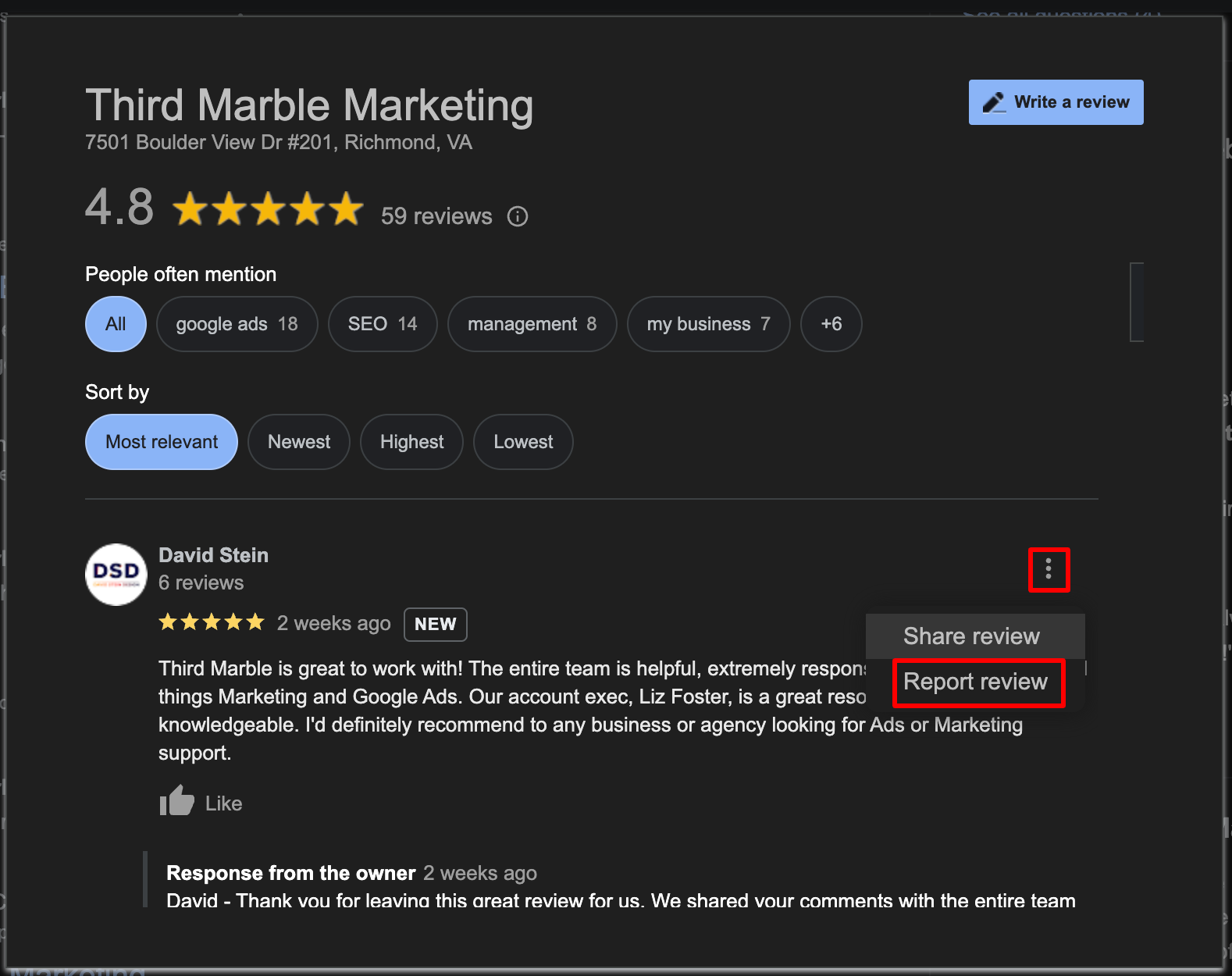
Step 2: Flag the Review
Here's how to flag a review depending on how you access your Business Profile:
- Google Maps: Open Google Maps on your computer, find your Business Profile, locate the review, click "More" and then "Flag as inappropriate."
- Google Search: On your computer, find your Business Profile in Google Search, click "Read Reviews," locate the review, click "Info," and choose the violation you want to report.
Step 3: Report the Review in Your Business Profile Management Tool
For an extra layer of reporting, head to your Business Profile Management Tool:
- Go to the Reviews Management Tool
- Check the email address displayed is the one you use for your Business Profile.
- Click "Confirm" and choose your business.
- Select "Report a new review for removal."
- Click "Report" on the specific review you want to flag.
- Choose the violation category and submit.
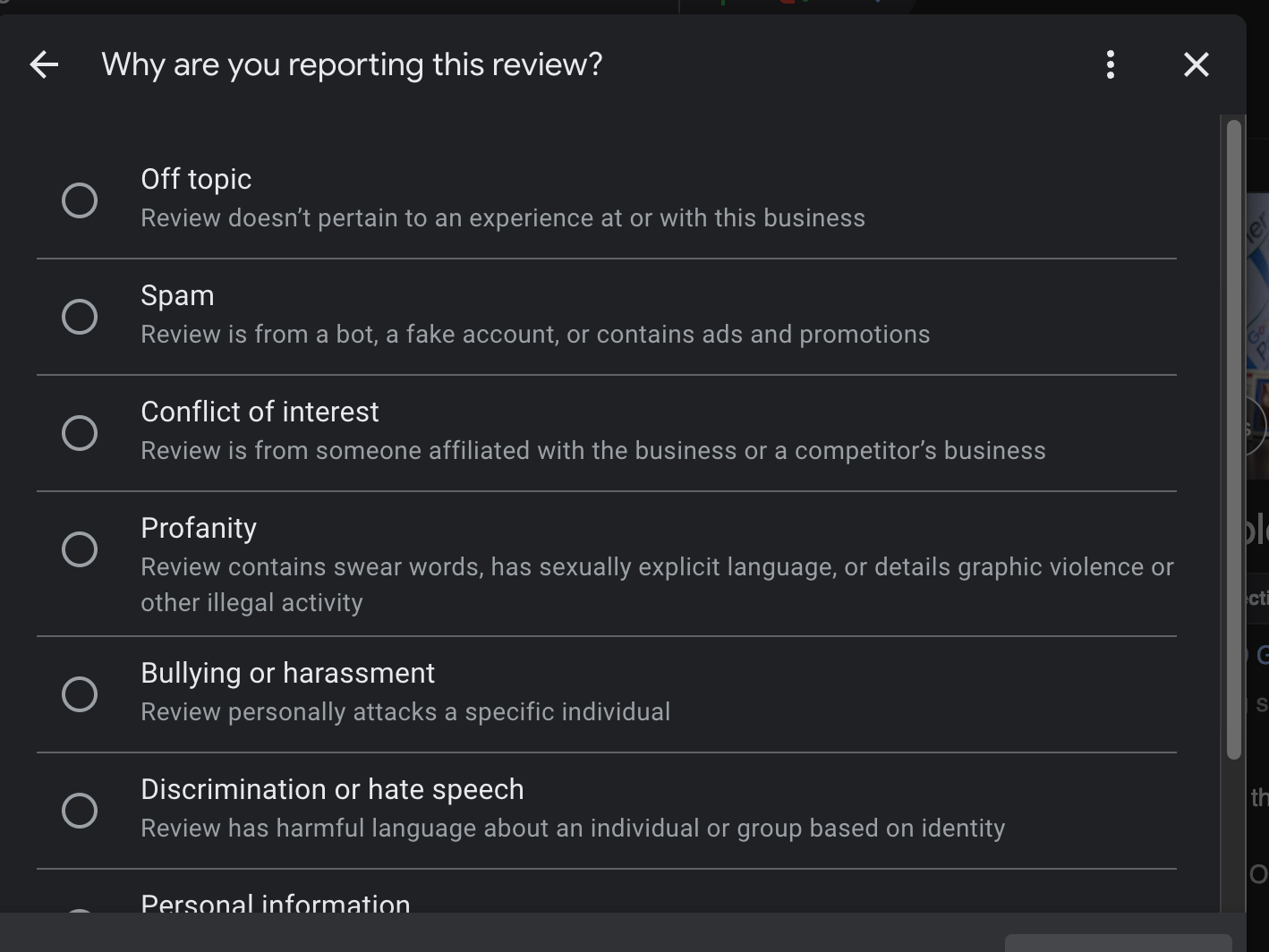
Step 4: Check the Status and Appeal (if needed)
- The Reviews Management Tool allows you to check the status of your flagged review. You can see if it's "Decision Pending," "Report reviewed – no policy violation," or "Escalated - check your email for updates."
- If the review is deemed to not violate policy, you can submit a one-time appeal. Go back to the Reviews Management Tool, choose "Check the status of a review I reported previously and appeals options," and follow the prompts.
Remember: Be patient! Google can take several days to assess a review.
Bonus Tip: If your appeal is denied and you believe the review is truly inappropriate, consider reaching out to the reviewer directly. A polite and professional message explaining your perspective can sometimes lead to them removing the review.
By following these steps and keeping detailed records, you'll be well-equipped to tackle negative reviews and protect your online reputation. Don't let one bad review hold you back from success!
Need help reclaiming your online reputation?
Third Marble Marketing specializes in helping businesses build and manage strong Google Business Profiles. Our experts can help you optimize your listings, attract new customers, and manage your online reputation. Contact us today for a consultation and discover how we can elevate your business's online visibility.
We Hope This Helps!
Third Marble Marketing - Google Ads & SEO Tips, Tricks and Case Studies

,
, bullet points, pricing tables, etc.) are effortless for LLMs to scan. 3. Human Verification & Real Expertise To prevent misinformation or generic advice, our team interviews clients directly. Every tip, process step, or service description we publish is verified by an actual business owner to satisfy Google's E-E-A-T standards. 4. Multi-Platform Monitoring Rankings aren't just measured on Google anymore. We track your footprint using Google Search Console alongside tools that monitor how your brand appears across ChatGPT, Gemini, Grok, and Perplexity. Is Traditional SEO Dead? No, traditional SEO is alive and well. In fact, AI search engines rely almost entirely on Google's core ranking systems (domain authority, site speed, and technical health) to choose which businesses to trust and quote. If your website isn't technically sound or properly indexed, AI engines won't find or quote it. Our AI Optimization builds directly on top of traditional SEO to ensure you capture both standard search traffic and modern AI recommendations. Ready to Claim Your Share of AI Search? Search is changing fast, but getting your business in front of local customers doesn't have to be complicated or overpriced. At Third Marble Marketing, we back our process-driven AI SEO with flat-rate pricing and no long-term contracts. Schedule a quick call with our team to pick the right plan for your market.